
Tiny Image Resizer – Resize, Compress & Convert Images
Resize, compress, crop and convert images — free, fast and private.
Drop images here or click to upload
JPG, PNG, WebP, GIF • Process images privately in your browser
Quick Actions
Start with the most common tools.

Resize Image
Resize any image online free by exact pixel size or percentage — JPG, PNG, WebP — high quality, no signup, works instantly in your browser.

Bulk Image Resizer
Resize hundreds of photos at once. Batch resize by dimensions or percentage and download everything as a single ZIP in one click.

Crop Image
Crop photos free with preset social media sizes (Instagram, Facebook, YouTube) or freehand — pixel-precise, no watermark, no download needed.

Rotate Image
Rotate or flip any photo 90°, 180°, 270°, horizontally or vertically — free, instant, and 100% in your browser with high visual clarity.

Compress JPG & WebP
Shrink JPG and WebP file sizes by up to 90% without visible quality loss — free online image compressor built for faster websites.

Compress PNG
Reduce PNG file size with lossless or lossy compression and smart color quantization — keeps transparency crisp.

Convert to JPG
Turn PNG, GIF, TIF, PSD, SVG, WEBP, HEIC, or RAW format images to JPG in bulk with ease.

Convert from JPG
Turn JPG images to PNG, WebP, GIF, or BMP instantly with maximum fidelity.

Convert HEIC to JPG
Convert HEIC and HEIF photos to universal JPG format free — works entirely in your browser, no app needed.

Remove Background
Remove image backgrounds automatically with AI-powered edge detection — free, fast, and works right in your browser.

Photo Editor
Edit photos free online — adjust brightness, contrast, saturation, blur, sepia, invert, and filters instantly, no download required.

Add Watermark
Add custom text or logo watermark to your images free — control opacity, position, and size to protect your photos online.

Passport & ID Photo
Generate compliant passport and ID photos with white or plain backgrounds for visas and official applications.

JPG to PDF
Convert one or more JPG images into a clean, unified PDF document in seconds with zero watermark.

PNG to PDF
Transform crisp PNG images into high-resolution PDF documents quickly and securely.

Blur Faces
Safeguard privacy by blurring or concealing faces in photos automatically with one click.

Pixelate Image
Pixelate sensitive areas, license plates, or private details easily in your photos.

Add White Border
Add neat white, black, or colored frames to photos for posting on Instagram without cropping.

Split Image for Instagram
Split images into 3x3 grids, 3x1 banners, or seamless carousels for Instagram feeds.

Photo Collage Maker
Combine multiple photos into beautiful collages with custom grid layouts and border styles.



Popular compression sizes (any format)
Choose a target size for forms, portals and uploads.
A. Compress by format & size
Choose a format and target size. Each tool returns the same format.




B. Resize by dimensions
Resize images by units, DPI, aspect ratio or common dimensions.






C. Forms, exams & ID photos
Create photos for passports, exams and official forms.





D. Convert image formats
Convert between JPG, PNG, WebP, AVIF and many more.








E. Edit & combine images
Crop, edit, merge and analyze your images.








F. Photo effects
Apply filters and enhancements.









G. More creative tools
Creative utilities for text, OCR, and AI enhancements.




H. Social media & marketplace sizes
Presets for Instagram, YouTube, Facebook, and more.












Process Images in Style
Resize a photo for Instagram, compress an image for your website, or convert HEIC to JPG — all free, private, and processed instantly in your browser.

All-in-one image suite
Use TinyImageResizer.com to resize, crop, compress, and edit photos directly in your browser with zero upload.

Scan and edit on the go
Scan paper documents and access quick image tools anytime with the Mobile App.
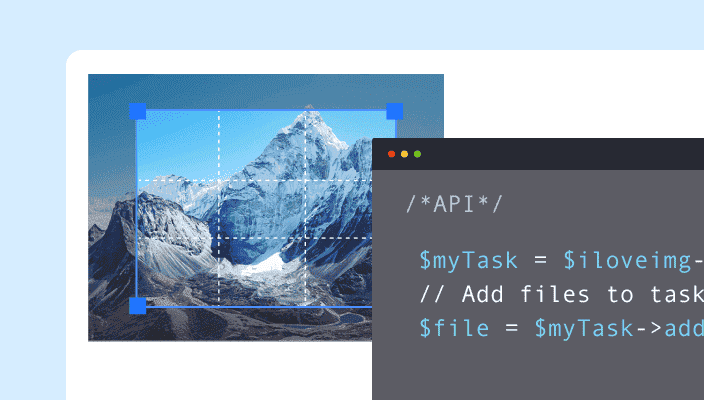
Scale with the Image API
Automate image tasks at scale by integrating powerful editing tools into your product or workflow.
A complete set of image tools, all in one place
TinyImageResizer brings together practical online tools for the image tasks people handle every day. Resize a picture for a website, reduce a file size for an upload, convert an image to another format, prepare a photo for a form or make simple edits before sharing it. Choose a tool, add your image and follow the on-screen controls to create the result you need.
Whether you are working on a product photo, a profile picture, a document image or a graphic for social media, TinyImageResizer helps make common image tasks easier to find and complete. The tools are organised by task, so you can move directly to the type of edit you need instead of searching through unrelated features.
Explore the tools
Find the right tool for the job, from quick size adjustments to image conversion and creative edits.
Resize images
Adjust image dimensions to match the size you need. Resize by width and height in pixels, or use centimetres, millimetres and inches where supported. Choose an aspect ratio, work with preset sizes for common platforms, or prepare photos for documents and applications. Selected tools also provide DPI controls for print and form requirements.
Compress images
Reduce image file sizes to make uploads, websites and sharing more convenient. Choose from tools for common formats such as JPG, PNG, WebP, AVIF and GIF. Where supported, set a target size in KB or MB, or select a compression level that balances a smaller file with the image clarity you want to keep.
Convert image formats
Change an image into a format that better suits your project or destination. Use the available converters for formats such as JPG, JPEG, PNG, WebP, AVIF, BMP and ICO. You can also find specialist utilities for tasks involving images, PDFs or Base64 data, depending on the tool you choose.
Crop and shape images
Focus on the part of an image that matters. Crop to a custom area or a familiar aspect ratio, create square or circular crops, and use available shape and framing options to prepare an image for a profile, post, product listing or other layout.
Edit and personalise
Make useful adjustments without opening a full desktop editor. Depending on the tool, you can add text, combine images, prepare signatures, adjust backgrounds, blur or pixelate selected areas, work with image colours or inspect and manage image metadata.
Prepare photos and documents
Get images ready for practical everyday requirements, including passport-style photos, exam forms, signatures and photo-plus-signature layouts. Use available size presets and DPI options as a starting point, then check the finished image against the exact instructions from the organisation requesting it.
Why use TinyImageResizer?
Image tasks should not feel complicated. TinyImageResizer brings useful tools together in one place and keeps each workflow focused on the job you came to do.
Tools organised by task
Move between resizing, compression, conversion, cropping and editing from one easy-to-browse collection.
Clear, practical controls
Use straightforward options and presets to work toward a specific size, format or output.
Useful for different projects
Prepare images for websites, social media, online forms, documents, shops and everyday sharing.
Works across screen sizes
Use the site on a desktop, tablet or mobile device with a layout designed to adapt to your screen.
How it works
- 1
Choose a tool
Open the tool that matches the task you want to complete.
- 2
Add your image
Select an image and adjust the available settings, dimensions or output options.
- 3
Download the result
Review the output and save the processed image to your device.
About TinyImageResizer
TinyImageResizer is an online collection of practical image tools for resizing, compressing, converting, cropping and editing images. It brings focused utilities together so you can prepare pictures for websites, social media, forms, documents and everyday sharing.
Follow the tool's on-screen controls. Many tools process images in your browser; some specialist features use servers. Review tool notes before uploading sensitive files.